

 Click on the Category button to get more articles regarding that product.
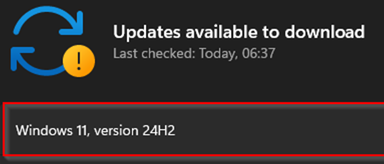
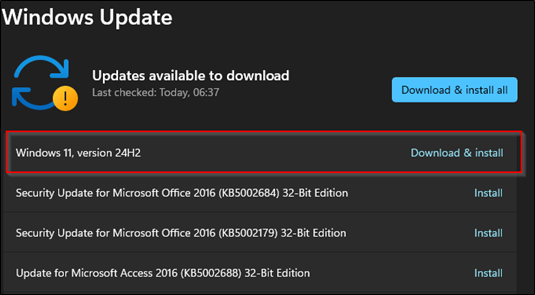
The Microsoft 02-2025 Patchday brings a hidden surprise for all valid systems. It pre-downloads and offers
the 24H2 W11 Feature Update. Most of the existing problems target home/gamer users, but still,
some people would like to block the update on single systems.
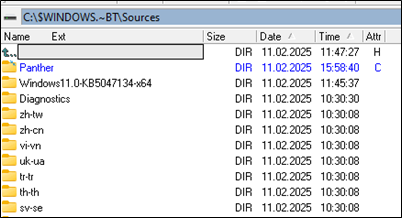
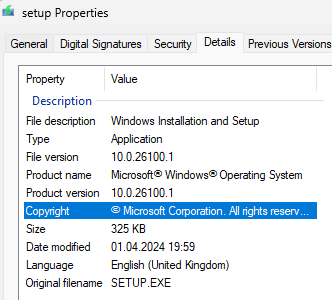
Pre-download folder for W11 > W11 Release Migration, around 450 MB you see if too late.
Update view 11.02.2025 if not blocked this morning
Infos/Problem 24H2:
https://learn.microsoft.com/en-us/windows/release-health/status-windows-11-24h2
History:
Short rating of known 24H2 regrading coporate, sbs, kmu users (Sorted out homeuser, gaming things)
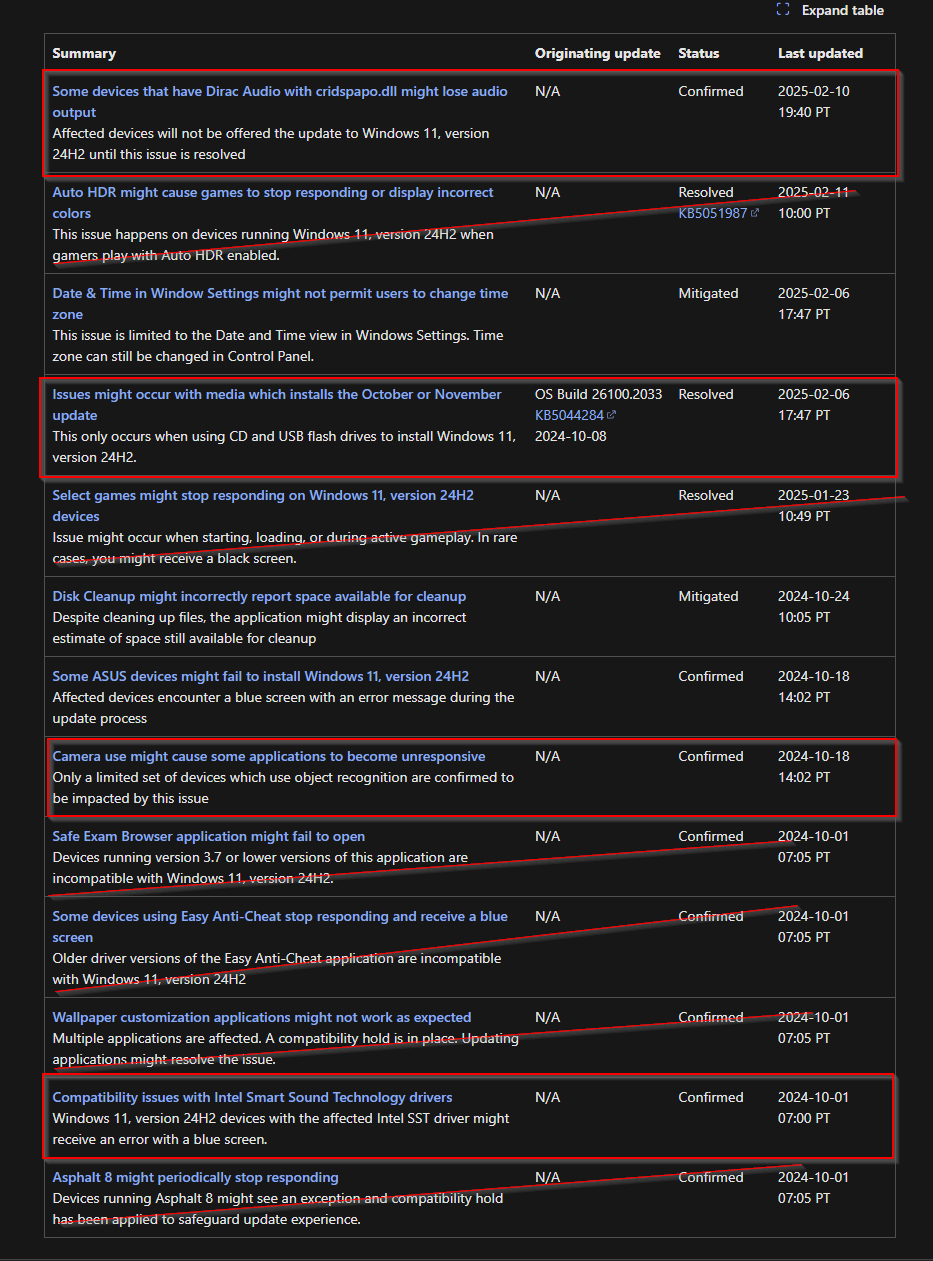
How to block the 24H2 Update
|
How to block the 24H2 Update, localy on a single client withou WSUS or GPO hooked up |
|
To block the Windows 11 24H2 update on all versions:
Supported versions of Windows client | Microsoft Learn https://learn.microsoft.com/en-us/windows/release-health/supported-versions-windows-client |
|
Via Registry, Batch Block_24H2_Update.cmd |
|
|
@echo off reg add HKLM\SOFTWARE\Policies\Microsoft\Windows\WindowsUpdate /f /v TargetReleaseVersion /t REG_DWORD /d 1 reg add HKLM\SOFTWARE\Policies\Microsoft\Windows\WindowsUpdate /f /v TargetReleaseVersionInfo /t REG_SZ /d 23H2 reg add HKLM\SOFTWARE\Policies\Microsoft\Windows\WindowsUpdate /f /v ProductVersion /t REG_SZ /d “Windows 11” |
|
|
Via Registry, Powershell Block_24H2_Update.ps1 |
|
New-ItemProperty -Path “HKLM:\SOFTWARE\Policies\Microsoft\Windows\WindowsUpdate” -Name “TargetReleaseVersion” -Value 1 -PropertyType “DWord” -Force New-ItemProperty -Path “HKLM:\SOFTWARE\Policies\Microsoft\Windows\WindowsUpdate” -Name “TargetReleaseVersionInfo” -Value “23H2” -PropertyType “String” -Force New-ItemProperty -Path “HKLM:\SOFTWARE\Policies\Microsoft\Windows\WindowsUpdate” -Name “ProductVersion” -Value “Windows 11” -PropertyType “String” -Force |
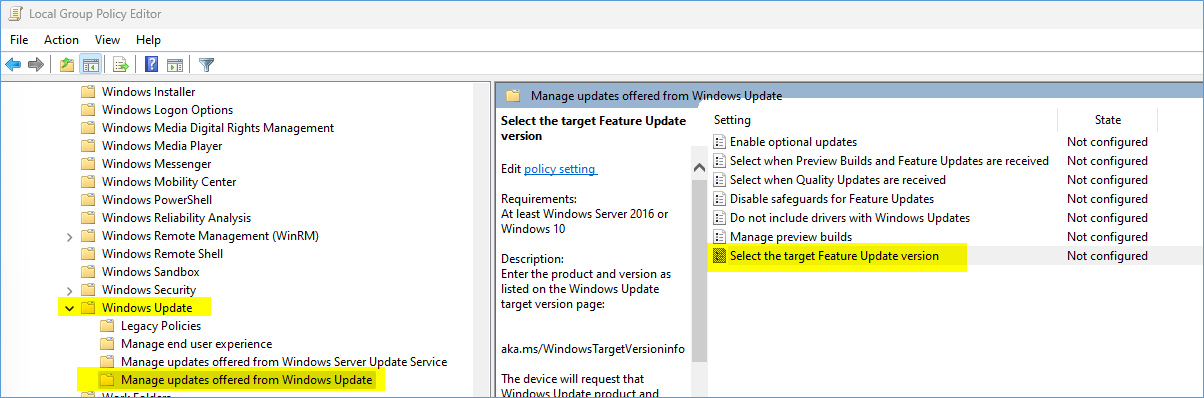
Via LOCAL or GPO Policy
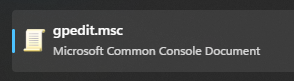
Start > gpedit.msc
Computer Configuration > Administrative Templates > Windows Components > Windows Update > Manage updates offered from Windows Update.
Check the current version YOU have and want to STAY on:
Start > winver.exe
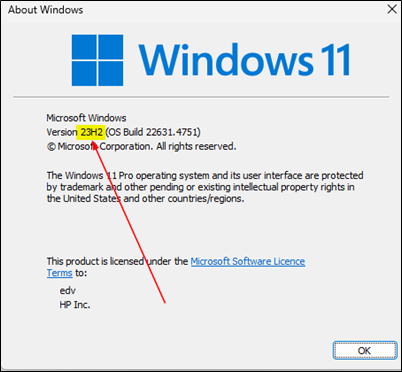
So it’s on 23H2 and we want to stay at 23H2 for some time
Y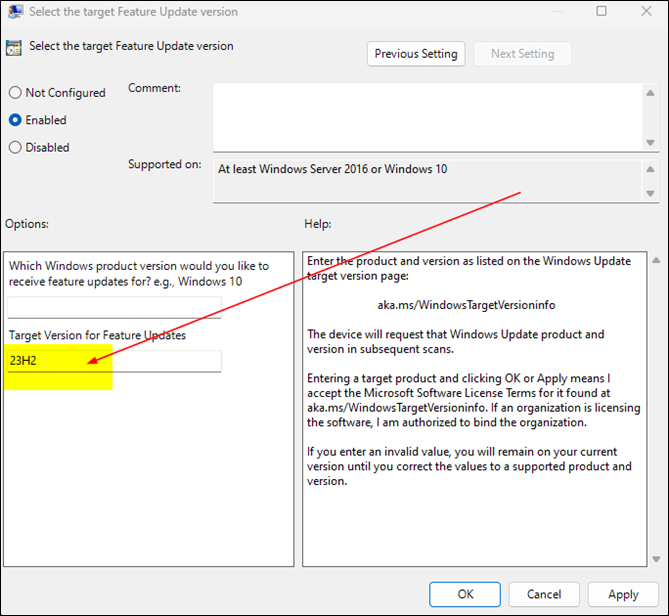
|
Reasons you may want to update to 24H2 |
|
Windows 11 version 24H2 (build 10.0.26100.1) introduces several enhancements tailored for business and Small Business Server (SBS) users:
Security Enhancements:
BitLocker Device Encryption – Enabled by default upon clean installation, BitLocker encrypts the Windows install drive when users sign in with a Microsoft, work, or school account, enhancing data protection
Personal Data Encryption (PDE) – Ensures that known Windows folders (Documents, Desktop, and Pictures) are protected using user-authenticated encryption, safeguarding sensitive information
App Control for Business – Offers improved protection against malicious code, helping to secure digital assets
Administrative Improvements:
Windows Local Administrator Password Solution (LAPS) – Policy improvements and a new automatic account management feature simplify the management of local administrator passwords, enhancing security protocols
Energy Saver Mode – A new feature that optimizes power management, extending battery life and reducing energy consumption, configurable to run automatically or manually via Quick Settings
Performance and Compatibility:
Faster Updates – The update process has been optimized to install up to 45% faster with a 25% reduction in CPU usage, minimizing downtime during critical operations
Wi-Fi 7 and Bluetooth LE Audio Support – Introduces support for the latest wireless technologies, enhancing connectivity and audio experiences, particularly beneficial for assistive devices |
Supported versions of Windows client | Microsoft Learn
https://learn.microsoft.com/en-us/windows/release-health/supported-versions-windows-client
|
Check the version, status 12.02.2025 |
||||||||||||||||||||||||||||||||||||||||||||||||||||||||||||||||||||||||||||||||||||
|
Windows 11 supported versions by servicing option (All dates are listed in ISO 8601 format: YYYY-MM-DD) Last Updated: 2024-10-01 Servicing channels Expand table
Enterprise and IoT Enterprise LTSC editions Expand table
Windows 10 supported versions by servicing option (All dates are listed in ISO 8601 format: YYYY-MM-DD) Last Updated: 2022-12-13 Servicing channels Expand table
Enterprise and IoT Enterprise LTSB/LTSC editions Expand table
|