

 Click on the Category button to get more articles regarding that product.
CRL Check for Windows Environments
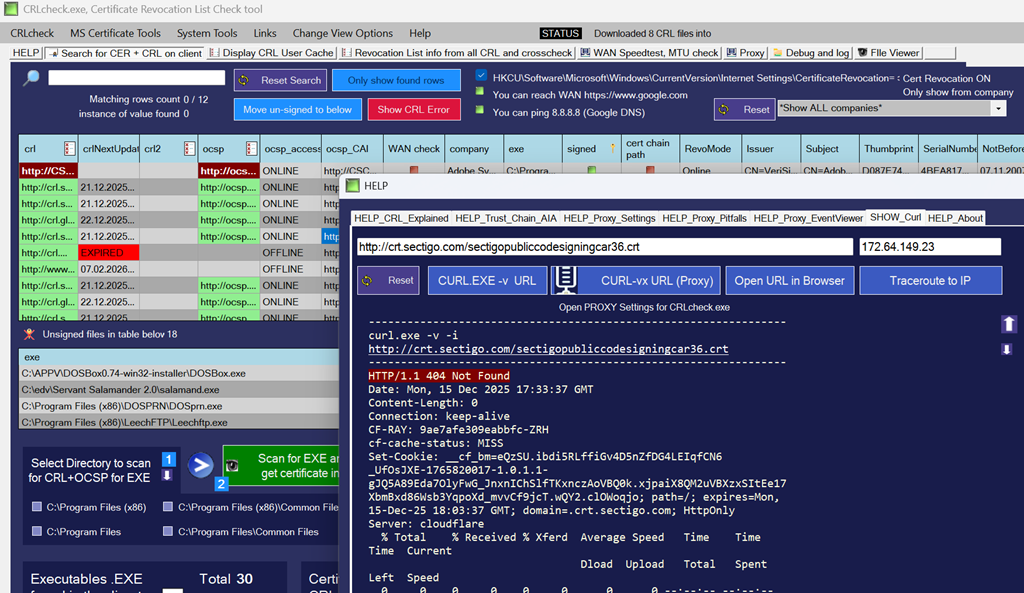
CRL check is a tool designed to collect executables from most used paths on your client. It checks whether they are digitally signed with a code certificate and then retrieves the Certificate Revocation Lists (CRL) and OCSP for each signed file it finds. It then automatic verifies if the client can successfully request and download that file from the Internet.
CRL check is a critical but often overlooked aspect of certificate validation on Windows systems when handled outside the knowledge on PKI-engineers. When CRL check behaviour is misconfigured or blocked, it can lead to application start-up delays, slow logons, failed operating system deployments, inconsistent patching times, and intermittent system behaviour that is difficult to trace.
CRLcheck is a dedicated tool designed specifically to perform a reliable and transparent CRL check across Windows client and server systems.

Download from our servers in Switzerland:
https://www.butsch.ch/wp-content/uploads/tools/crlcheck/latest/crlcheck.7z
Download from Softpedia:

https://www.softpedia.com/get/Security/Security-Related/Certificate-Revocation-List-Check-Tool.shtml
Download from Major Geek:

https://www.majorgeeks.com/files/details/certificate_revocation_list_check_tool.html
Why CRL Check Matters
Every digitally signed executable on Windows relies on certificate validation. As part of this process, Windows performs a CRL check and, where applicable, an OCSP check to confirm that the signing certificate has not been revoked.
If a system cannot reach the required Certificate Revocation List endpoints, the CRL check process may:
- Delay application start-up
- Slow down operating system deployments
- Cause unpredictable patch installation times
- Introduce intermittent performance issues on servers and clients
Because these issues are often temporary or environment-dependent, CRL check problems can remain undetected for long periods.
CRLcheck – Purpose-Built for CRL Check Validation
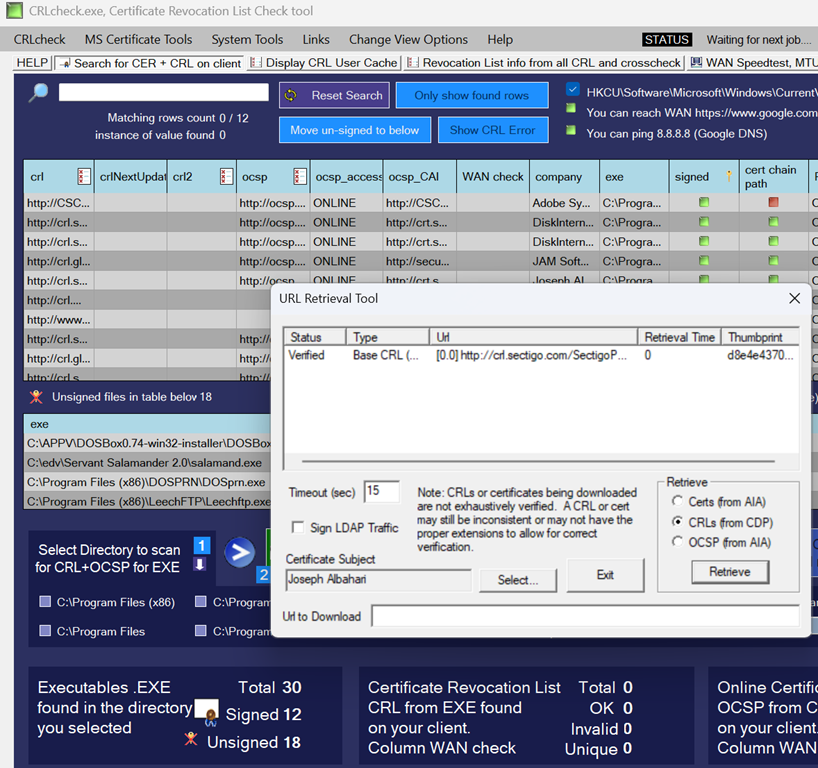
CRLcheck was created to make CRL check behaviour visible, testable, and verifiable in real-world enterprise environments. Instead of relying solely on generic command-line tools, CRLcheck focuses specifically on how Windows performs CRL check operations for signed executables.
What CRLcheck.exe Does
CRLcheck performs a comprehensive CRL check by:
- Collecting executable files from common system locations, running user processes, or user-defined directories
- Identifying whether each executable is digitally signed
- Extracting CRL and OCSP endpoints referenced by the signing certificate
- Testing whether the system can successfully reach and download each CRL and OCSP endpoint
- Exporting discovered certificate and revocation data for further analysis
- Inspecting cached CRL and OCSP data already used by the system
- This allows administrators to clearly see which CRL check endpoints are required and whether they are reachable.
CRL Check and Network Validation
Windows systems depend on a defined set of Fully Qualified Domain Names to complete a successful CRL check. CRLcheck produces a clear list of these endpoints so they can be reviewed by security and network teams.
This makes CRLcheck an effective tool for:
- Firewall validation
- Proxy configuration checks
- WAN and restricted network environments
- Zero-trust and segmented network designs
- Designed for Enterprise CRL Check Scenarios
CRLcheck is suitable for:
- Windows client systems
- Windows Server environments
- OS deployment and imaging scenarios
- Patch management and update validation
- Security and compliance reviews
It provides a focused, technical view of CRL check behavior without assumptions or hidden dependencies.
Download and find more details about the freeware tool here:
Digital certificate validation relies on timely and reliable certificate revocation status information to ensure trust on the web. A common mechanism is the certificate revocation list (CRL), sometimes referred to as certificate revocation list (CRLs), which allows clients to determine whether a certificate should still be considered valid. During a certificate revocation check, applications typically retrieve the certificate revocation list URL embedded in the certificate and verify that the certificate has not been revoked.
In practice, administrators often compare a certificate revocation list vs OCSP approach, depending on performance, availability, and security requirements. If revocation data cannot be retrieved or validated, systems may report that a certificate revocation check failed, which can impact secure connections and automated services. Proper monitoring and validation of revocation data is therefore an important recommendation when implementing or maintaining certificate-based security.
Some Keywords we use in IT for this issue or process:
certificate revocation list check
Certutil URL Retrieval Tool
Certificate revocation list example
Certutil verify certificate
Certificate revocation List vs OCSP
URL Retrieval Tool download
What is crl in cyber security