Click on the Category button to get more articles regarding that product.
Go through these Key Recursive and check for the value “UninstallString” under the GUID’s.
HKEY_LOCAL_MACHINE\SOFTWARE\Microsoft\Windows\CurrentVersion\Uninstall
HKEY_LOCAL_MACHINE\SOFTWARE\Wow6432Node\Microsoft\Windows\CurrentVersion\Uninstall
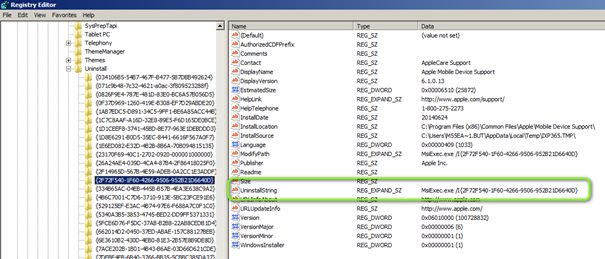
MsiExec.exe /I{2F72F540-1F60-4266-9506-952B21D6640D}
So Uninstall Silent of possible would be:
MsiExec.exe /x{2F72F540-1F60-4266-9506-952B21D6640D } /qn REBOOT=ReallySuppress
If the Uninstall works depends on the software and if the, as example, MSI Source file is STILL under The location mentioned in key:
“InstallSource”
Windows tries to cache those files LOCAL outside the mentioned Source file location.
But it’s always good to keep the original files incl. Paths so don’t migrate NAS/File shares for Install$ and software$ without asking Deployment prior.
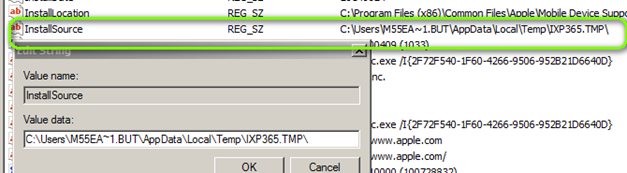
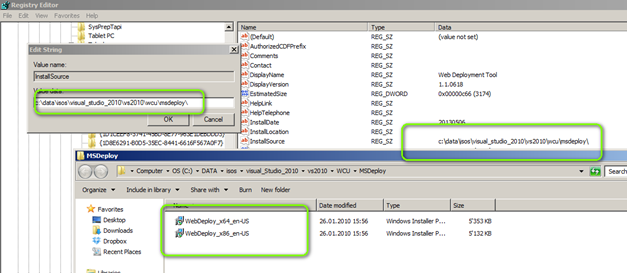
Sample where the MSI Source files are present at Original location: