

 Click on the Category button to get more articles regarding that product.
Packet loss with VMXNET3, NIC VMWARE, ESX
14.09.2022, 1.9.11.0, Server 2016 ON ESXi 8.0.2, 238255
Did you update the NIC driver when migrating to ESX V8?
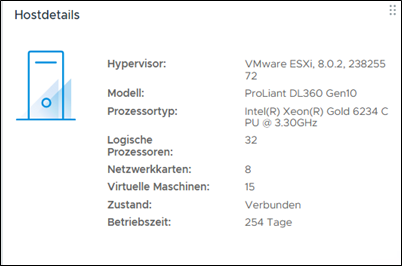
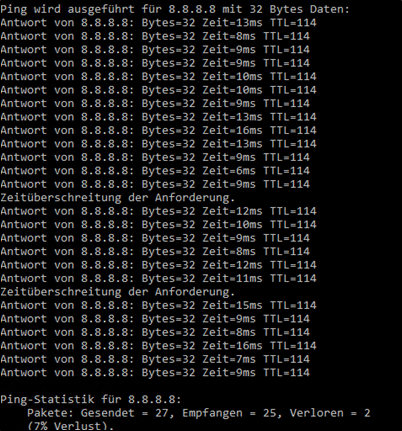
We recently ran into issues on a server running WSUS and Trellix ePO, both of which usually generate heavy traffic in all directions. Over several days, I noticed sporadic packet loss to Google’s 8.8.8.8 DNS, and WSUS clients were failing to report in. Since some clients were on Wi-Fi access points, we checked those first, but the problem also showed up on VMware ESXi 8.0.2 (build 238255) and Windows Server 2016, with outgoing ICMP to Google DNS intermittently dropping. We looked into MTU path settings and CRC errors on the interface, but neither turned out to be the root cause.
For now, updating the VMXNET 3 NIC driver from VMware (version 1.9.11.0, dated 14.09.2022) to the latest version available via Windows Update Online Check from the Windows Update Catalog (Broadcom version 1.9.19.0, dated 25.07.2024) seems to have stabilized the issue.
Attention: There may be a potential issue with Exchange DAG clusters when using the new NIC version (Broadcom). This could affect the cluster’s keepalive interface, as those typically have special configurations from A to Z, which might be lost if a VMware engineer does not properly track these settings.
Therefore, it may not be advisable to update all larger servers or those under heavy load, such as internal SQL/Oracle database servers or clusters. As a precautionary measure, consider scripting a dump of all NIC settings to a file before updating or taking screenshots of each NIC’s configuration.
Overall discussion NIC Driver VMXNET3 vs Intel E1000 (We do not talk about 1000E that is worser)
The VMXNET3 driver has been around for a while and is generally preferred for its performance features like Receive Side Scaling (RSS) and large TCP receive offload, offering better out-of-the-box performance for typical guest server OS setups. For high-performance servers—like Exchange DAG clusters, SQL/Oracle databases, or busy public IIS/Apache web servers—it works well but may require some tweaking and fine-tuning. Long-term network stack handling can impact projects, especially in environments like Windows PE on Deployment Servers (SCCM, MDT, WDS) or pre-built appliances. For systems handling heavy internal traffic or high connection loads, such as security solutions (Trellix EPO, SIEM, WSUS), optimizing settings is essential. Even if everything seems properly configured, small adjustments can boost performance, and it’s important to consider the entire path from the WAN to the guest server NIC.
https://www.catalog.update.microsoft.com/Search.aspx?q=1.9.19.0
VMXNET3 NIC Driver
OLD: NIC VMWARE, 14.09.2022, 1.9.11.0 (other server)
NEW: NIC BROADCOM, 25.07.2024, 1.9.19.0 (WSUS/EPO > Nach Update via Windows Update suchen Online)
Performance Best Practices for vSphere 8.0 Update 1
https://www.vmware.com/docs/vsphere-esxi-vcenter-server-80u1-performance-best-practices
READ: ESXi Networking Considerations
ESXi (Updated On: 02-05-2025)
https://knowledge.broadcom.com/external/article/324556/large-packet-loss-in-the-guest-os-using.html
List of Vmware/Broadcom Drivers which are ONLINE with Windows Update Catalog:
https://knowledge.broadcom.com/external/article/313145/vmware-tools-drivers-published-to-window.html
Possible Exchange DAG Cluster problem with NEW NIC Version (If you upgrade to Broadcom)
This may be the cluster’s communication interface, I guess, because those normally have special settings from A to Z, and these may get lost if a VMware engineer does not properly track those special settings.
Problems with 24HX and Server 2025 with the VMXNET3
https://www.jeffriechers.com/wiki/24h2-windows-11-and-server-2025-vmxnet3-issues/
https://sqltouch.blogspot.com/2020/08/vmxnet3-configuration-and-high.html
HPE (2024-02-20) VNIC
https://support.hpe.com/hpesc/public/docDisplay?docId=a00137862en_us&docLocale=en_US
On HPE platforms configured with any of the HPE Broadcom-based network adapters listed in the Scope section below; the network adapter may experience network link loss on Microsoft Windows Virtual Machines after upgrading the host Operating to VMware ESXi 8.0 (or later), or after updating the network driver/firmware combination in VMware ESXi 7.x that includes bnxtnet driver version 224.0.x.x (or later).
Windows Virtual Machines(VMs) may suddenly lose connectivity to all or some network destinations; and connectivity is restored by disconnecting and reconnecting the vNIC, or migrating the Virtual Machine to another VMware ESXi host. During these operations, the vNIC may generate a message in the VMware ESXi kernel logs similar to the following:
“Vmxnet3: 21700: vmname.eth0,xx:xx:xx:xx:xx:xx, portID(xxxxxxxx): Hang detected,numHangQ: 1, enableGen: 1049”
This issue has only been reported for Windows Virtual Machines using vmxnet3 as vNIC; however, it could affect other guest Operating Systems and other vNIC types.
The affected async driver version 224.0.x.x (or later) has an issue that can miss the TX packet completion under certain circumstances. This could block the vNIC TX queues of the Virtual Machine, and thus block some or all packets leaving the vNIC.
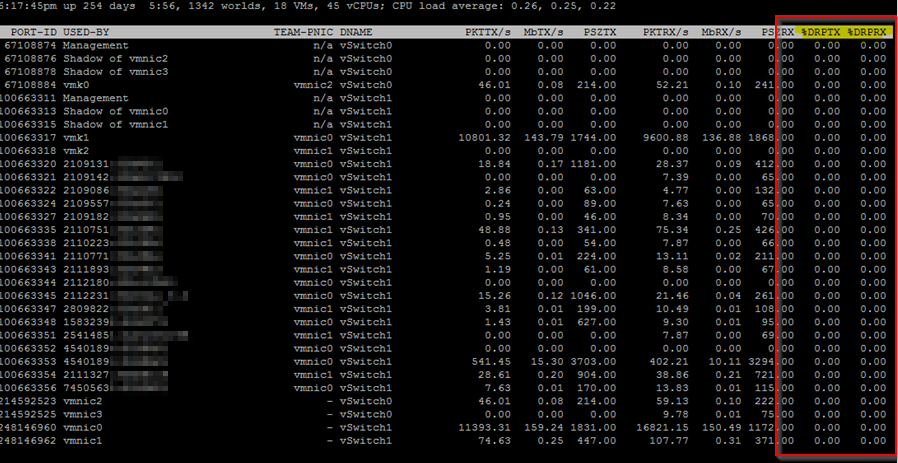
| On the ESXi Server itself you can check drops with: |
| Access the ESXi Shell: • You need to be logged into the ESXi host directly or via SSH. You might need to enable the ESXi Shell or SSH if it’s not already enabled. Launch esxtop: • Type esxtop in the ESXi shell and press Enter. This command opens the esxtop utility, which provides real-time performance monitoring. Switch to Networking View: • Press the n key to switch to the networking view in esxtop. This view shows network performance statistics. Monitor Packet Drops: • Look for the columns labeled %DRPTX and %DRPRX: %DRPTX shows the percentage of packets dropped on transmission. %DRPRX shows the percentage of packets dropped on reception. |
 |
The problem also looks like this seen on the guest Server.
Download of 300MB file from MS to Server over old NIC driver:
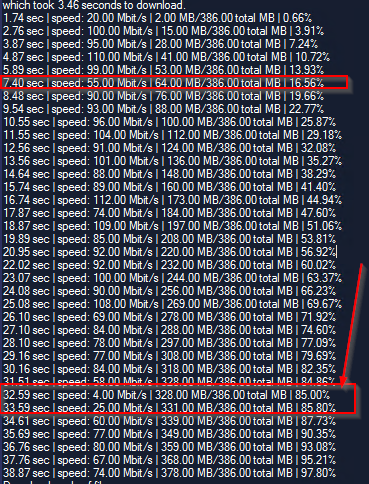
High traffic times with a lot of incoming WSUS clients.
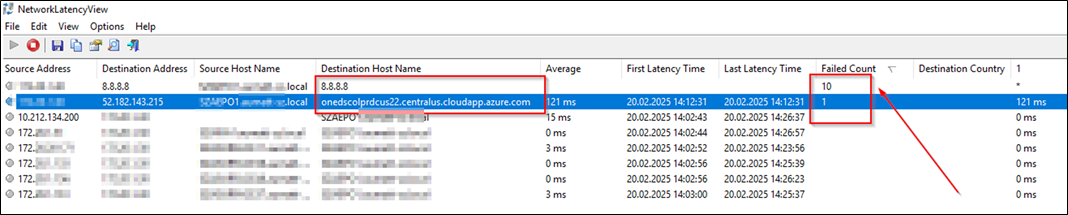
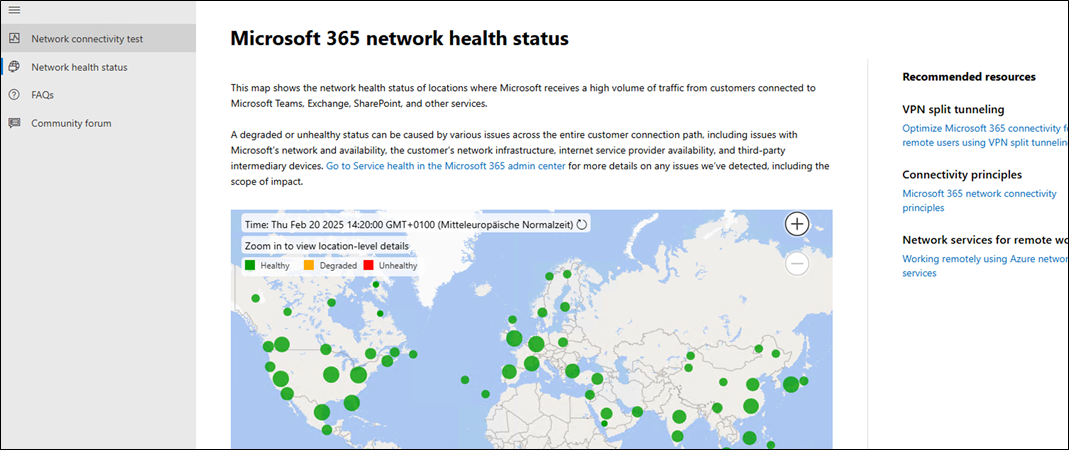
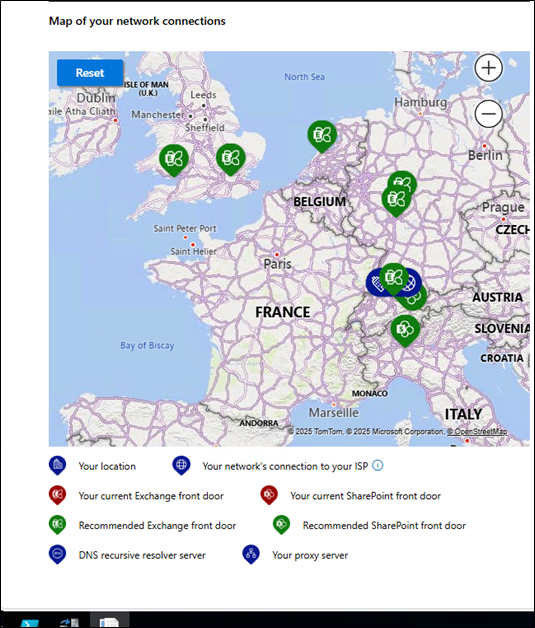
If its regarding MS/M365 you can always shortly use the web based version of their health tool so you can be sure that it is not their side like with the azure.com Paket Loss above.
Microsoft 365 network health status
https://connectivity.office.com/status
| VMXNET3 Adapter: Performance: VMXNET3 is a paravirtualized network adapter designed for high performance. It supports features like multiqueue, Receive Side Scaling (RSS), and large receive offload, enabling efficient data processing and reduced CPU overhead.Compatibility: VMXNET3 is supported by most modern guest operating systems, including recent versions of Windows and Linux. However, it requires VMware Tools to be installed in the guest OS to function correctly. NIOC Integration: VMXNET3’s advanced features integrate well with NIOC, allowing for effective bandwidth management and prioritization of network traffic in enterprise environments. E1000 Adapter: Performance: The E1000 adapter emulates the Intel 82545EM Gigabit Ethernet NIC. While it offers broad compatibility, it generally provides lower performance compared to VMXNET3 due to higher CPU overhead and lack of advanced features. Compatibility: E1000 is compatible with a wide range of guest operating systems, including older versions of Windows and Linux. It does not require VMware Tools for basic functionality. NIOC Integration: E1000 lacks the advanced features of VMXNET3, which may limit its effectiveness when used with NIOC for traffic management. |