

 Click on the Category button to get more articles regarding that product.
Microsoft releases emergency Windows Server updates to fix unexpected reboots
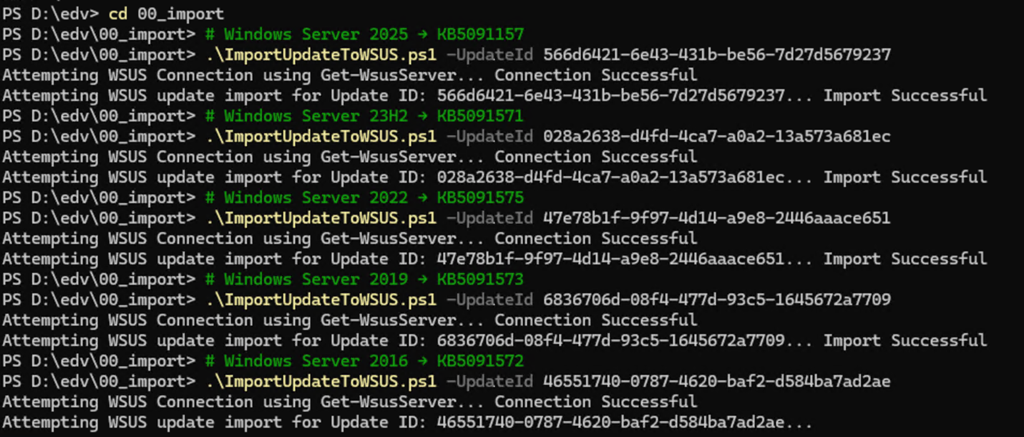
Microsoft has released a set of out-of-band (OOB) interim updates to address a critical issue causing unexpected or repeated reboots on Windows Server systems after recent cumulative updates.
The problem affects multiple Windows Server versions and, in some environments, can impact core infrastructure roles such as domain controllers and authentication services. Due to the severity of the regression, Microsoft released fixes outside the normal Patch Tuesday cycle.
Affected Windows Server versions and KB updates
The following updates resolve the issue:
Windows Server 2025 → KB5091157
https://www.catalog.update.microsoft.com/Search.aspx?q=KB5091157
Windows Server 23H2 → KB5091571
https://www.catalog.update.microsoft.com/Search.aspx?q=KB5091571
Windows Server 2022 → KB5091575
https://www.catalog.update.microsoft.com/Search.aspx?q=KB5091575
Windows Server 2019 → KB5091573
https://www.catalog.update.microsoft.com/Search.aspx?q=KB5091573
Windows Server 2016 → KB5091572
https://www.catalog.update.microsoft.com/Search.aspx?q=KB5091572
Windows Server 2025 Datacenter: Azure Edition → KB5091470
https://www.catalog.update.microsoft.com/Search.aspx?q=KB5091470
Windows Server 2022 Datacenter: Azure Edition → KB5091576
https://www.catalog.update.microsoft.com/Search.aspx?q=KB5091576
These updates are cumulative interim fixes intended to restore system stability and prevent further reboot loops introduced by the previous update cycle.
What the updates fix
The emergency patches address:
Unexpected system reboots triggered after recent cumulative updates
Stability issues affecting core Windows Server services
Reliability problems in infrastructure and authentication workloads
Restoration of normal uptime behavior without requiring rollback of previous patches
Microsoft recommends applying these updates as soon as possible, especially in production environments.
WSUS deployment and import process
For environments using WSUS, these updates can be imported using Microsoft’s official PowerShell import method.
1. Download the import script
Microsoft provides the official WSUS catalog import script here:
Download the ImportUpdateToWSUS.ps1 script from this documentation page.
2. Import updates into WSUS
Each update must be imported using its Microsoft Update Catalog UpdateId (GUID):
.\ImportUpdateToWSUS.ps1 -UpdateId <GUID>
Example:
.\ImportUpdateToWSUS.ps1 -UpdateId f2aaaf6d-b74b-4b64-aa72-535b1831124c
Each KB listed above must be resolved individually to its corresponding UpdateId GUID before import.
3. Where to get the UpdateId
The UpdateId is retrieved from the Microsoft Update Catalog:
https://www.catalog.update.microsoft.com
Search for the KB number (e.g. KB5091575), open the correct update entry, and copy the UpdateId GUID from the details view.
Summary
This out-of-band update set resolves a serious stability regression in Windows Server environments that could lead to unexpected reboots. Administrators should prioritize deployment, especially on domain controllers and critical infrastructure systems, and can streamline rollout using the WSUS import script provided by Microsoft.
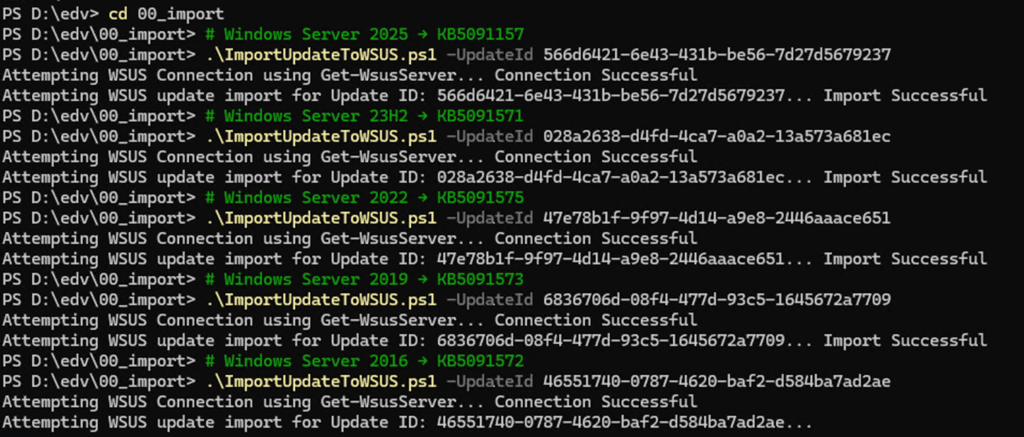
Full list of GUID for this to fix:
# Windows Server 2025 → KB5091157
.\ImportUpdateToWSUS.ps1 -UpdateId 566d6421-6e43-431b-be56-7d27d5679237
# Windows Server 23H2 → KB5091571
.\ImportUpdateToWSUS.ps1 -UpdateId 028a2638-d4fd-4ca7-a0a2-13a573a681ec
# Windows Server 2022 → KB5091575
.\ImportUpdateToWSUS.ps1 -UpdateId 47e78b1f-9f97-4d14-a9e8-2446aaace651
# Windows Server 2019 → KB5091573
.\ImportUpdateToWSUS.ps1 -UpdateId 6836706d-08f4-477d-93c5-1645672a7709
# Windows Server 2016 → KB5091572
.\ImportUpdateToWSUS.ps1 -UpdateId 46551740-0787-4620-baf2-d584ba7ad2ae
* Check in WSUS and DENY the superseded (Wrong ones)
* Check Release DATES so you ONLY approve the NEW ones
* WSUS client should handle the LOGIK but just to be 100% safe
