 Click on the Category button to get more articles regarding that product.
Powershell skript to force the Out of band patches for WSUS Exploit fully automatic on WSUS.
WSUS Out-of-Band Patch Installer – Overview (CVE-2025-59287) for all OS automatic
Run our emergency skript direct on your WSUS Server.
- The 24.10.2025 emergency patches itself are in WSUS. If they are APROVED there our skript will install them from there
- If the 24.10.2025 emergency patches are NOT aproved in your WSUS it will download them DIRECT from MS, Install and Reboot the Server.
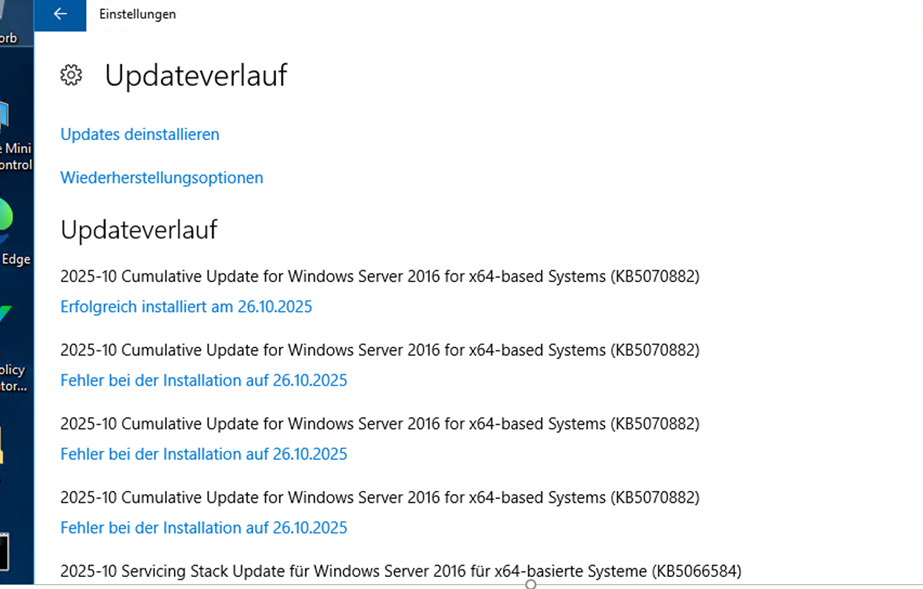
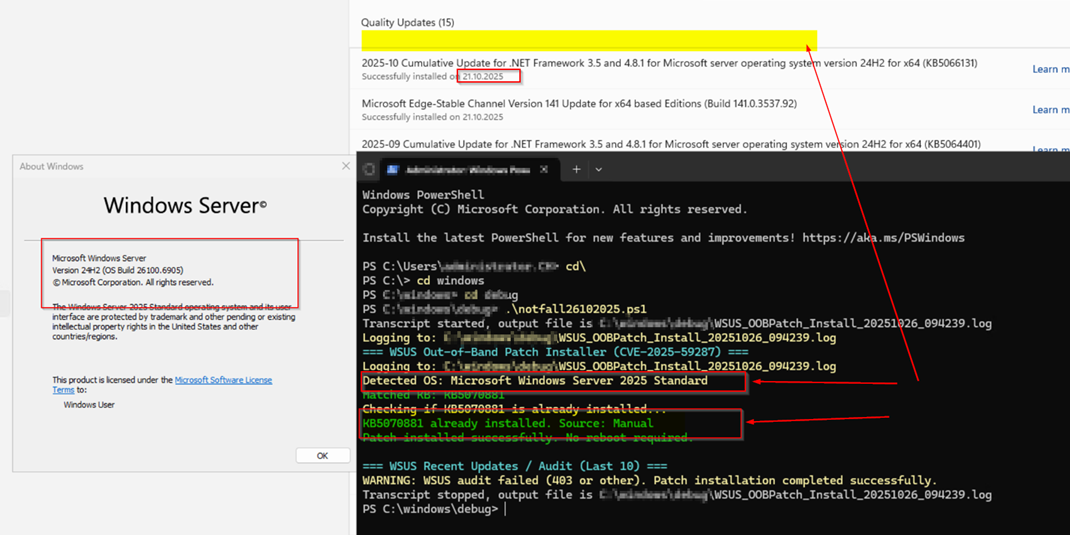
- If you install the Out of Band patches by PS they may not appear in the Windows Server 2025 GUI under history/Verlauf (See and of screenshot, check with Get-HotFix -Id KB5070881 or WMI)
Affected OS:
“Windows Server 2025” = “KB5070881”
“Windows Server 23H2” = “KB5070879”
“Windows Server 2022” = “KB5070884”
“Windows Server 2019” = “KB5070883”
“Windows Server 2016” = “KB5070882”
“Windows Server 2012 R2” = “KB5070886”
“Windows Server 2012” = “KB5070887”
Purpose: Automatically installs the correct October 2025 Out-of-Band (OOB) security patch for CVE-2025-59287 on the local WSUS server, verifying installation and rebooting if required. If the patch is not approved or available in WSUS, it automatically retrieves it from Microsoft Update instead.
Main Functions:
- Logging & Transcript: Creates a timestamped log file in the same folder where the script runs (startup folder). Captures full console output for audit and troubleshooting.
- OS Detection & KB Mapping: Detects the local Windows Server version (2012 → 2025) and maps it to the corresponding KB (e.g., KB5070884 for Server 2022).
- WSUS Role Verification: Checks if the WSUS role is installed, exits cleanly if not present.
- Patch Status Check: Searches via Win32_QuickFixEngineering and Get-HotFix to confirm if the patch exists and identifies its source (Manual, WSUS, or Microsoft Update).
- PSWindowsUpdate Setup: Installs/imports PSWindowsUpdate module if missing and registers Microsoft Update as a fallback.
- Patch Installation Logic: Attempts WSUS installation first; falls back to Microsoft Update if WSUS does not have or approve the KB.
- Verification Phase: Confirms the KB is installed and reports its source.
- Reboot Handling: Detects if a reboot is required and restarts automatically if needed.
- WSUS Audit / IOC Snapshot: Queries WSUS for the 10 most recently added/modified updates. Prints them for quick IOC review. Logs a warning if access fails.
- Failsafe & Clean Exit: All operations use try/catch; exits with clear success/failure messages and maintains full transcript.
End Result: Correct OOB patch installed, automatically falling back to Microsoft Update if needed, logs every step, reboots safely, and provides WSUS change audit.
| notfall_wsus.ps1 |
| Download from: https://www.butsch.ch/wp-content/uploads/tools/wsus/notfall_wsus.ps1 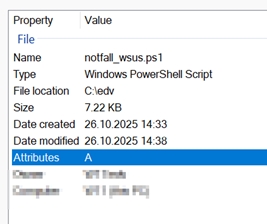 Check on virustotal: VirusTotal – File – b9a7206f888384361ae732cd8a57fe273575becbfd7b20f26ca615ee7d6425bc <#
.SYNOPSIS
www.butsch.ch, Notfall Patche fuer WSUS 25.10.2025
Installs the October 2025 WSUS Out-of-Band (OOB) security patch for CVE-2025-59287
on the local WSUS server automatically, verifies installation, and optionally displays the last 10 WSUS updates.
.NOTES
Run as Administrator on the WSUS server itself.
Reboots automatically if required.
#>
# --- Logging setup ---
$ScriptPath = Split-Path -Parent $MyInvocation.MyCommand.Definition
$LogFile = Join-Path $ScriptPath "WSUS_OOBPatch_Install_$(Get-Date -Format 'yyyyMMdd_HHmmss').log"
Start-Transcript -Path $LogFile -Force
Write-Host "Logging to: $LogFile" -ForegroundColor Yellow
Write-Host "www.butsch.ch, Notfall Patche fuer WSUS 25.10.2025" -ForegroundColor Cyan
Write-Host "=== WSUS Out-of-Band Patch Installer (CVE-2025-59287) ===" -ForegroundColor Cyan
Write-Host "Logging to: $LogFile" -ForegroundColor Yellow
# --- Step 1: Detect OS ---
$os = (Get-CimInstance Win32_OperatingSystem).Caption
Write-Host "Detected OS: $os" -ForegroundColor Yellow
# --- Step 2: Determine correct KB for this OS ---
$KBMap = @{
"Windows Server 2025" = "KB5070881"
"Windows Server 23H2" = "KB5070879"
"Windows Server 2022" = "KB5070884"
"Windows Server 2019" = "KB5070883"
"Windows Server 2016" = "KB5070882"
"Windows Server 2012 R2" = "KB5070886"
"Windows Server 2012" = "KB5070887"
}
$selectedKB = $null
foreach ($k in $KBMap.Keys) {
if ($os -like "*$k*") { $selectedKB = $KBMap[$k]; break }
}
if (-not $selectedKB) {
Write-Error "Unsupported or unrecognized OS. Cannot determine KB."
Stop-Transcript
exit 1
}
Write-Host "Matched KB: $selectedKB" -ForegroundColor Green
# --- Step 3: Check if WSUS role is installed ---
$wsusInstalled = (Get-WindowsFeature -Name UpdateServices).Installed
if (-not $wsusInstalled) {
Write-Host "WSUS role not installed. No patch needed." -ForegroundColor Yellow
Stop-Transcript
exit 0
}
# --- Step 4: Check if patch already installed ---
Write-Host "Checking if $selectedKB is already installed..." -ForegroundColor Yellow
function Test-KBInstalled($KBID) {
try {
$kbInfo = Get-WmiObject -Query "SELECT * FROM Win32_QuickFixEngineering WHERE HotFixID='$KBID'" -ErrorAction SilentlyContinue
if ($kbInfo) { return $true }
} catch {}
if (Get-HotFix | Where-Object { $_.HotFixID -eq $KBID }) { return $true }
return $false
}
function Get-KBInstallSource($KBID) {
try {
$info = Get-WmiObject -Query "SELECT * FROM Win32_QuickFixEngineering WHERE HotFixID='$KBID'" -ErrorAction SilentlyContinue
if ($info) {
if ($info.Description -match "WSUS|Windows Update") { return "WSUS" }
elseif ($info.InstalledBy -match "Administrator|System") { return "Manual" }
else { return "Manual/Unknown" }
}
} catch {}
return "Unknown"
}
$patchAlreadyInstalled = Test-KBInstalled $selectedKB
if ($patchAlreadyInstalled) {
$src = Get-KBInstallSource $selectedKB
Write-Host "$selectedKB already installed. Source: $src" -ForegroundColor Green
} else {
# --- Step 5: Install PSWindowsUpdate if missing ---
if (-not (Get-Module -ListAvailable -Name PSWindowsUpdate)) {
Write-Host "Installing PSWindowsUpdate module..." -ForegroundColor Yellow
Install-PackageProvider -Name NuGet -Force -Scope AllUsers -ErrorAction SilentlyContinue
Install-Module -Name PSWindowsUpdate -Force -Scope AllUsers -Confirm:$false -ErrorAction SilentlyContinue
}
Import-Module PSWindowsUpdate -ErrorAction Stop
# --- Step 6: Register Microsoft Update service ---
Write-Host "Registering Microsoft Update service..." -ForegroundColor Yellow
try { Add-WUServiceManager -MicrosoftUpdate -ErrorAction SilentlyContinue } catch {}
# --- Step 7: Attempt install from WSUS first ---
Write-Host "Attempting to install $selectedKB from WSUS..." -ForegroundColor Cyan
$wsusInstallSuccess = $false
try {
$result = Install-WindowsUpdate -KBArticleID $selectedKB -AcceptAll -IgnoreReboot -Verbose -ErrorAction Stop
if ($result) { $wsusInstallSuccess = $true }
} catch {
Write-Warning "WSUS installation failed or KB not found in WSUS."
}
# --- Step 8: Fallback to Microsoft Update if WSUS failed ---
if (-not $wsusInstallSuccess) {
Write-Host "Retrying installation from Microsoft Update..." -ForegroundColor Cyan
try {
$result2 = Install-WindowsUpdate -MicrosoftUpdate -KBArticleID $selectedKB -AcceptAll -IgnoreReboot -Verbose -ErrorAction Stop
if ($result2) {
Write-Host "Patch installed successfully from Microsoft Update." -ForegroundColor Green
} else {
Write-Error "Failed to install $selectedKB from Microsoft Update."
Stop-Transcript
exit 1
}
} catch {
Write-Error "Installation failed: $($_.Exception.Message)"
Stop-Transcript
exit 1
}
} else {
Write-Host "Patch installed successfully from WSUS." -ForegroundColor Green
}
# --- Step 9: Verify patch is really installed ---
Start-Sleep -Seconds 15
if (Test-KBInstalled $selectedKB) {
$src = Get-KBInstallSource $selectedKB
Write-Host "Verified: $selectedKB is now installed. Source: $src" -ForegroundColor Green
} else {
Write-Error "Verification failed: $selectedKB not detected after installation."
Stop-Transcript
exit 1
}
}
# --- Step 10: Check if reboot is required ---
$rebootKey = 'HKLM:\SOFTWARE\Microsoft\Windows\CurrentVersion\WindowsUpdate\Auto Update\RebootRequired'
if (Test-Path $rebootKey) {
Write-Host "Reboot required. Restarting now..." -ForegroundColor Magenta
Stop-Transcript
Restart-Computer -Force
} else {
Write-Host "Patch installed successfully. No reboot required." -ForegroundColor Green
}
# --- Step 11: Display last 10 WSUS updates with extra info (graceful) ---
try {
Write-Host "`n=== WSUS Recent Updates / Audit (Last 10) ===" -ForegroundColor Cyan
[reflection.assembly]::LoadWithPartialName("Microsoft.UpdateServices.Administration") | Out-Null
# Try SSL connection first
$wsus = [Microsoft.UpdateServices.Administration.AdminProxy]::GetUpdateServer("localhost",$true)
$updates = $wsus.GetUpdates() | Sort-Object -Property CreationDate -Descending
$recentUpdates = $updates | Select-Object -First 10
$displayUpdates = $recentUpdates | ForEach-Object {
[PSCustomObject]@{
Title = $_.Title
KBs = ($_.KBArticleNumbers -join ", ")
Created = $_.CreationDate
Approved = $_.IsApproved
Classification = $_.UpdateClassification.Title
InstalledOnWSUS = $_.IsInstalledOnServer
Source = if ($_.IsInstalledOnServer) { "WSUS" } else { "Microsoft Update/Unknown" }
}
}
$displayUpdates | Format-Table -AutoSize
} catch {
Write-Warning "WSUS audit failed (403 or other). Patch installation completed successfully."
}
# --- Stop logging ---
Stop-Transcript
|
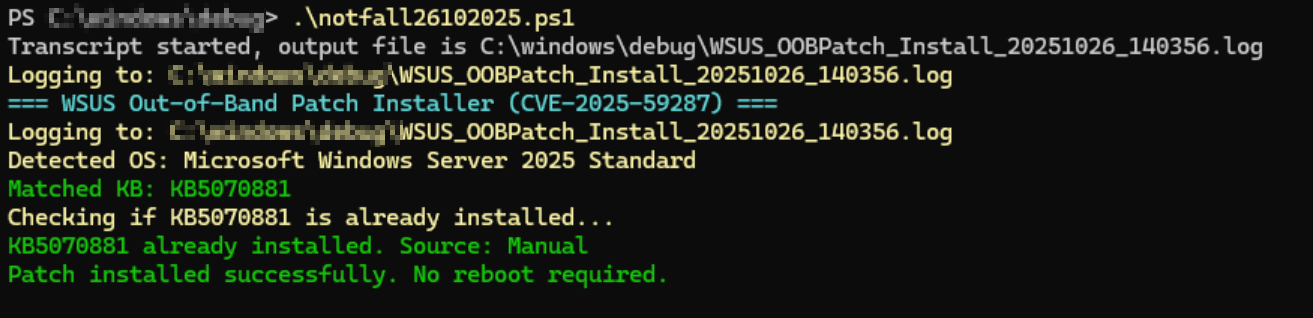 |
FAQ: Server 2025 does not show it but it is installed
- If you install the Out of Band patches by PS they may not appear in the Windows Server 2025 GUI under history/Verlauf
The only way you will the patches installed are maybe with:
Get-HotFix -Id KB5070881
Get-WmiObject -Query “SELECT * FROM Win32_QuickFixEngineering WHERE HotFixID=’KB5070881′”
Sample older OS version