Category: Microsoft Exchange

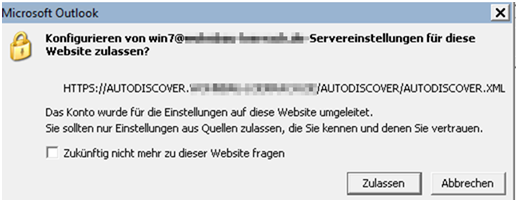
How to turn off Autodiscover Warning in Outlook 2010, 2013, 2016, 2019

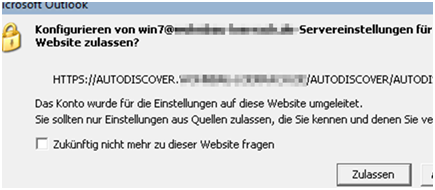
How to turn off Autodiscover Warning in Outlook 2010/2013/2016/2019 (Exchange 2010/2013/2016) Warnung: Das Konto wurde fuer die Einstellung auf die Website umgeleitet https://support.microsoft.com/en-us/help/2480582/how-to-suppress-the-autodiscover-redirect-warning-in-outlook A little bit more explained than in the Microsoft KB and with a check THAT if you ONLY set the Registry key if the OFFICE Version is installed. During Migrations you could […]

Defrag Exchange on-premises Database with ESEUTIL

http://technet.microsoft.com/en-us/library/aa998863(v=exchg.80).aspx If you are at the end of Migration. Check there are no user active on the DB:  Show all mailboxes on Database “mb3” Get-Mailbox -Database “mb3” | select Displayname, Alias, Database, OrganizationalUnit | ft -wrap –auto  Also check this KB for hidden accounts and dead accounts : https://www.butsch.ch/post/Exchange-20072010-Delete-default-Mailbox-Database-remove-last-MailboxSG.aspx Get the Path of the DB: How […]

Exchange 2016 numeric larger files under C:\Windows\Temp\SAFe\ if c: no space

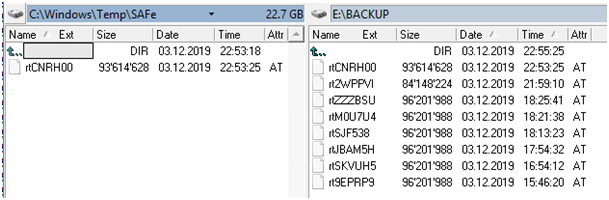
Exchange 2016 McAfee Security for Exchange 8.6 SP2 (Safeservice.exe, RPCserv.exe (two instances), Postgres.exe (multiple instances)) D:\Program Files (x86)\McAfee\MSME\bin\SAFeService.exe Server 2016 Source was: C: had no space in test lab server If you see random Files with 96’201’998 (96MB) size under “C:\Windows\Temp\SAFe\” on your Exchange 2013/2016 those are from McAfee Security for Exchange 8.6. The shown server was […]

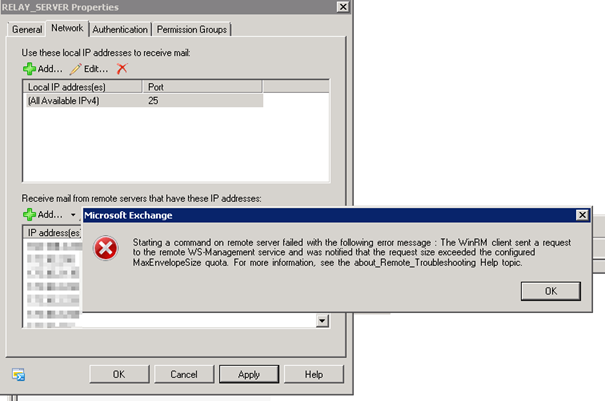
Exchange: WINRM Service, The WinRM client sent a request to the remote WS-Management service

Error we get in PowerShell : Starting a command on remote server failed with the following error message : The WinRM client sent a request to the re mote WS-Management service and was notified that the request size exceeded the configured MaxEnvelopeSize quota. For mo re information, see the about_Remote_Troubleshooting Help topic. + CategoryInfo : OperationStopped: […]

Turn of Autodiscover warning box agree Outlook.exe with GPO

How to turn off Autodiscover Warning in Outlook 2010/2013/2016/2019 Warnung: Das Konto wurde fuer die Einstellung auf die Website umgeleitet https://support.microsoft.com/en-us/help/2480582/how-to-suppress-the-autodiscover-redirect-warning-in-outlook A little bit more explained than in the Microsoft KB and with a check THAT if you ONLY set the Registry key if the OFFICE Version is installed. During Migrations you could otherwise run […]

Exchange Public Folder Migration, Fixing malformed Category VBA Script Swiss version

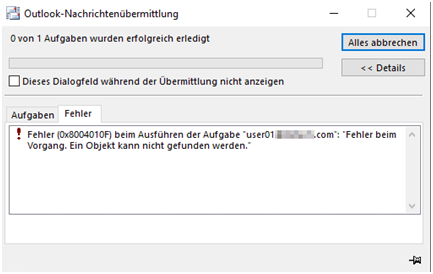
The store driver couldn’t deliver the public folder replication message “Backfill Request (SMTP Address)” because the following error occurred: Property: [0x3ff00102] , PropertyErrorCode: UnknownError, PropertyErrorDescription: 0x8004010 > Was solved finally on Exchange 2010 SP3 WITH Rollup 2 > Please see end of document  During Public Folder Migration you may have invalid Categories in Exchange 2003/2007. […]

Exchange 2007/2010 Delete default Mailbox Database / remove last Mailbox/SG

Exchange 2007/2010 Delete default Mailbox Database / remove last Mailbox/SG When you are migrating an Exchange from 2003 to 2007/2010 if you want to delete remove old or default mailboxes there are always mailboxes, which prevent you.  Here is the Microsoft Error as it shows up: MDB01FailedError:This mailbox database contains one or more mailboxes, mailbox plans, […]

Exchange Wildcard Certificate imported Powershell without password option (PrivateKeyMissing)

Valid Exchange 2010/2013/2016 Problem: You can IMPORT a KEYFILE (Password) protected Exchange Certificate via PowerShell. The import itself does work, it’s there but the Cert is NOT usable for Exchange or visible in PowerShell get-exchange certificate or in the Exchange Console under Certificates. Import-ExchangeCertificate -Instance <String[]> [-Confirm] [-DomainController <Fqdn>] [-FriendlyName <String>] [-Password <SecureString>] [-PrivateKeyExportable <$true […]