

 Click on the Category button to get more articles regarding that product.
KB5002914 Excel 2016, 2019, 2021, 2024 cut and paste not working anymore
18.09.2026 Microsoft released a Hotfix for the Office 2026 MSI based version
How to uninstall the different version and to block the patch so it does not come back.
There seems to be a bug with the September 2026 (09-2026) Updates from Office Patch Tuesday.
After you install 5002914 you are unable to cut & Paste in Excel 2016, 2019, 2021 and 2024
Microsoft released a hotfix for the problem on 18.09.2026 KB5002665:
Download:
https://www.microsoft.com/en-us/download/details.aspx?id=108833
excel2016-kb5002665-fullfile-x86-glb.exe
excel2016-kb5002665-fullfile-x64-glb.exe
Explain:
https://support.microsoft.com/en-gb/servicing/office/hotfix/excel/5002665
Be aware that the update in the Microsoft Download Center applies to the Microsoft Installer (.msi)-based edition of Office 2016.
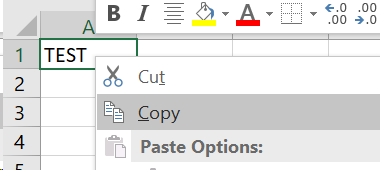
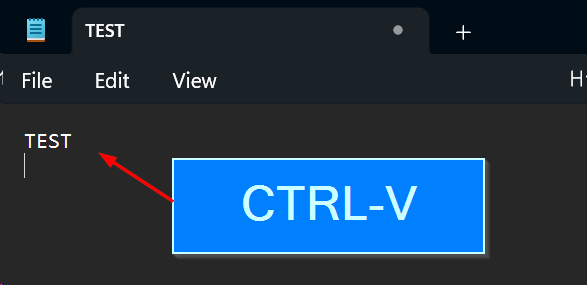
Let us check in notepad.exe if the clipboard has content > Yes it is there
in Excel itself
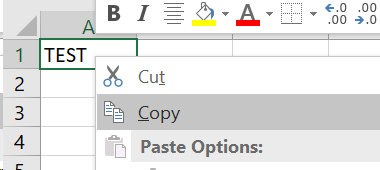
CTRL-C the cell in Excel
CTRL-V in Excel
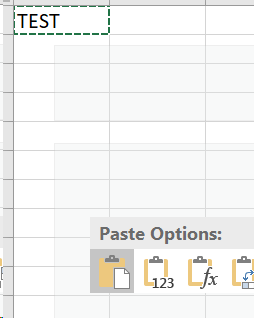
Cell stays empty does not paste anything

Workaround/solution:
Until MS has a fix there is only the way of uninstall and blocking the further download and install after uninstall
- Find you version language from the patch
- Uninstall
- Block the 5002914 from coming back
How to uninstall the update from cmd.exe with wusa
GUI:
wusa /uninstall /kb:5002914 /norestart
silent:
wusa /uninstall /kb:5002914 /quiet /norestart
How to uninstall the Office 2016 MSI VL ISO version update from cmd.exe with msiexec.exe and GUID
The ones who have Office 2016 installed from a VL ISO MSI version:
As example for the 32BIT version of Office 2016 VL MSI Version.
Find any office Excel 2016 patch from your language on your system with:
reg query “HKLM\SOFTWARE\WOW6432Node\Microsoft\Windows\CurrentVersion\Uninstall” /s /f “Excel 2016”
Shows a 32BIT Office 2016 VL ISO MSI version
reg query "HKLM\SOFTWARE\WOW6432Node\Microsoft\Windows\CurrentVersion\Uninstall" /s /f "Excel 2016"

HKEY_LOCAL_MACHINE\SOFTWARE\WOW6432Node\Microsoft\Windows\CurrentVersion\Uninstall\{90160000-0012-0000-0000-0000000FF1CE}_Office16.STANDARD_{9C029E7A-4A4A-409D-B5C6-F40BAA71A090}
    DisplayName    REG_SZ    Security Update for Microsoft Excel 2016 (KB5002914) 32-Bit Edition

HKEY_LOCAL_MACHINE\SOFTWARE\WOW6432Node\Microsoft\Windows\CurrentVersion\Uninstall\{90160000-0016-0407-0000-0000000FF1CE}_Office16.OMUI.de-de_{9C029E7A-4A4A-409D-B5C6-F40BAA71A090}
    DisplayName    REG_SZ    Security Update for Microsoft Excel 2016 (KB5002914) 32-Bit Edition

HKEY_LOCAL_MACHINE\SOFTWARE\WOW6432Node\Microsoft\Windows\CurrentVersion\Uninstall\{90160000-0016-0409-0000-0000000FF1CE}_Office16.STANDARD_{9C029E7A-4A4A-409D-B5C6-F40BAA71A090}
    DisplayName    REG_SZ    Security Update for Microsoft Excel 2016 (KB5002914) 32-Bit Edition

HKEY_LOCAL_MACHINE\SOFTWARE\WOW6432Node\Microsoft\Windows\CurrentVersion\Uninstall\{90160000-0018-0407-0000-0000000FF1CE}_Office16.OMUI.de-de_{9C029E7A-4A4A-409D-B5C6-F40BAA71A090}
    DisplayName    REG_SZ    Security Update for Microsoft Excel 2016 (KB5002914) 32-Bit Edition

HKEY_LOCAL_MACHINE\SOFTWARE\WOW6432Node\Microsoft\Windows\CurrentVersion\Uninstall\{90160000-0018-0409-0000-0000000FF1CE}_Office16.STANDARD_{9C029E7A-4A4A-409D-B5C6-F40BAA71A090}
    DisplayName    REG_SZ    Security Update for Microsoft Excel 2016 (KB5002914) 32-Bit Edition

HKEY_LOCAL_MACHINE\SOFTWARE\WOW6432Node\Microsoft\Windows\CurrentVersion\Uninstall\{90160000-001B-0407-0000-0000000FF1CE}_Office16.OMUI.de-de_{9C029E7A-4A4A-409D-B5C6-F40BAA71A090}
    DisplayName    REG_SZ    Security Update for Microsoft Excel 2016 (KB5002914) 32-Bit Edition

HKEY_LOCAL_MACHINE\SOFTWARE\WOW6432Node\Microsoft\Windows\CurrentVersion\Uninstall\{90160000-001B-0409-0000-0000000FF1CE}_Office16.STANDARD_{9C029E7A-4A4A-409D-B5C6-F40BAA71A090}
    DisplayName    REG_SZ    Security Update for Microsoft Excel 2016 (KB5002914) 32-Bit Edition

HKEY_LOCAL_MACHINE\SOFTWARE\WOW6432Node\Microsoft\Windows\CurrentVersion\Uninstall\{90160000-006E-0407-0000-0000000FF1CE}_Office16.OMUI.de-de_{9C029E7A-4A4A-409D-B5C6-F40BAA71A090}
    DisplayName    REG_SZ    Security Update for Microsoft Excel 2016 (KB5002914) 32-Bit Edition

HKEY_LOCAL_MACHINE\SOFTWARE\WOW6432Node\Microsoft\Windows\CurrentVersion\Uninstall\{90160000-006E-0409-0000-0000000FF1CE}_Office16.STANDARD_{9C029E7A-4A4A-409D-B5C6-F40BAA71A090}
    DisplayName    REG_SZ    Security Update for Microsoft Excel 2016 (KB5002914) 32-Bit Edition
We have to now take apart the uninstall string:
HKEY_LOCAL_MACHINE\SOFTWARE\WOW6432Node\Microsoft\Windows\CurrentVersion\Uninstall\{90160000-001B-0409-0000-0000000FF1CE}_Office16.STANDARD_{9C029E7A-4A4A-409D-B5C6-F40BAA71A090}
DisplayName REG_SZ Security Update for Microsoft Excel 2016 (KB5002914) 32-Bit Edition
Relevant base product in your entries is:
{90160000-0012-0000-0000-0000000FF1CE}
and the patch registrations ends with:
{9C029E7A-4A4A-409D-B5C6-F40BAA71A090}
Uninstall 32BIT silent with:
c:\windows\system32\msiexec.exe /package “{90160000-0012-0000-0000-0000000FF1CE}” /uninstall “{9C029E7A-4A4A-409D-B5C6-F40BAA71A090}” /qn /norestart
Uninstall 32BIT with GUI so so you have more feedback:
c:\windows\system32\msiexec.exe /package “{90160000-0012-0000-0000-0000000FF1CE}” /uninstall “{9C029E7A-4A4A-409D-B5C6-F40BAA71A090}” /qb+ /norestart
Uninstall 64BIT silent with:
msiexec.exe /package “{90160000-0012-0000-1000-0000000FF1CE}” /uninstall “{27882596-A8ED-4382-9C71-6CD2DD19F732}” /qn /norestart
Uninstall 32BIT with GUI so so you have more feedback:
msiexec.exe /package “{90160000-0012-0000-1000-0000000FF1CE}” /uninstall “{27882596-A8ED-4382-9C71-6CD2DD19F732}” /qb+ /norestart
Then Reboot the client
How to uninstall the update from cmd.exe with PowerShell
Remark: The PowerShell MS gave was for the 64BIT version. 80% of Office 2016 remaining installation in enterprise are 32BIT because of third party add-on. Here are the 32/64BIT uninstalls from us. Again as with msiexec find the correct GUID first as shown above.
& "C:\Program Files\Common Files\Microsoft Shared\OFFICE16\Oarpmany.exe" /removereleaseinpatch "{90160000-0012-0000-0000-0000000FF1CE}" "{27882596-A8ED-4382-9C71-6CD2DD19F732}" '1036' "0"
& "C:\Program Files\Common Files\Microsoft Shared\OFFICE16\Oarpmany.exe" /removereleaseinpatch "{90160000-0012-0000-1000-0000000FF1CE}" "{27882596-A8ED-4382-9C71-6CD2DD19F732}" '1036' "0"
Auto find the 2016 MSI Version 32 and 64BIT on your system.
:: Remove KB5002914 for Office 2016 VL ISO MSI-package version
:: www.butsch.ch
:: ------------------------------------------------------------------------------------------------------
::  https://www.butsch.ch/post/kb5002914-excel-2016-2019-2021-2024-cut-and-paste-not-working-anymore/
:: ------------------------------------------------------------------------------------------------------
@echo off
setlocal enabledelayedexpansion

echo -----------------------------------------
echo Checking for Excel 2016 KB5002914 Patch
echo www.butsch.ch
echo V1.0, 14.09.2026
echo -----------------------------------------

:: Kill Excel to prevent file locks
taskkill /f /im excel.exe >nul 2>&1

:: 1. Check for 64-Bit Office 2016 Standard Patch
reg query "HKLM\SOFTWARE\Microsoft\Windows\CurrentVersion\Uninstall" /s /f "27882596-A8ED-4382-9C71-6CD2DD19F732" >nul 2>&1
if %errorlevel% equ 0 (
    echo Found 64-Bit Patch. Removing...
    msiexec.exe /package "{90160000-0012-0000-1000-0000000FF1CE}" /uninstall "{27882596-A8ED-4382-9C71-6CD2DD19F732}" /qn /norestart
    echo 64-Bit Removal command sent.
    goto end
)

:: 2. Check for 32-Bit Office 2016 Standard Patch (on 64-bit Windows OS)
reg query "HKLM\SOFTWARE\Wow6432Node\Microsoft\Windows\CurrentVersion\Uninstall" /s /f "9C029E7A-4A4A-409D-B5C6-F40BAA71A090" >nul 2>&1
if %errorlevel% equ 0 (
    echo Found 32-Bit Patch. Removing...
    msiexec.exe /package "{90160000-0012-0000-0000-0000000FF1CE}" /uninstall "{9C029E7A-4A4A-409D-B5C6-F40BAA71A090}" /qb+ /norestart
    echo 32-Bit Removal command sent.
    goto end
)

:: 3. Check for 32-Bit Office 2016 Standard Patch (on Native 32-bit Windows OS)
reg query "HKLM\SOFTWARE\Microsoft\Windows\CurrentVersion\Uninstall" /s /f "9C029E7A-4A4A-409D-B5C6-F40BAA71A090" >nul 2>&1
if %errorlevel% equ 0 (
    echo Found 32-Bit Patch. Removing...
    msiexec.exe /package "{90160000-0012-0000-0000-0000000FF1CE}" /uninstall "{9C029E7A-4A4A-409D-B5C6-F40BAA71A090}" /qb+ /norestart
    echo 32-Bit Removal command sent.
    goto end
)

echo Patch KB5002914 was not found on this machine.

:end
endlocal
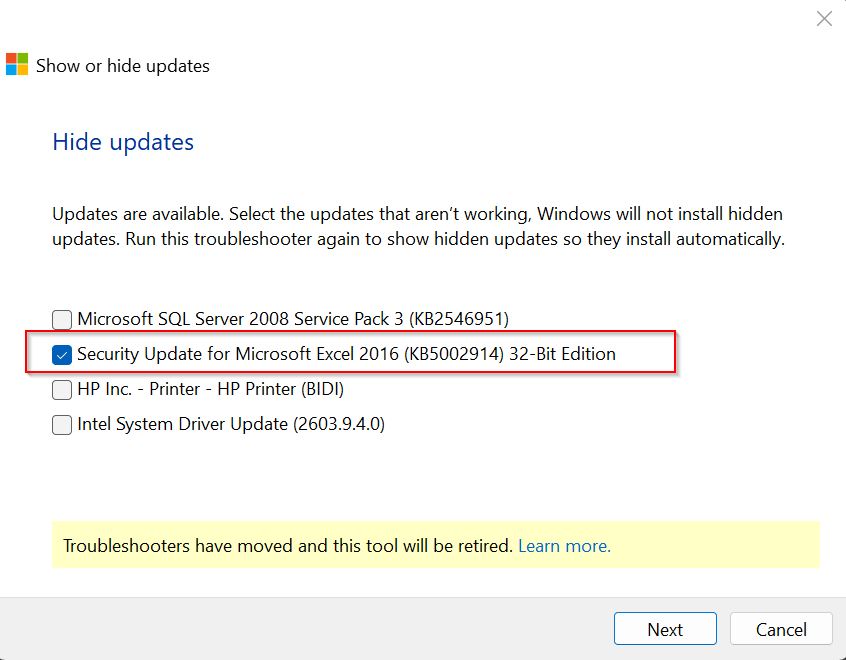
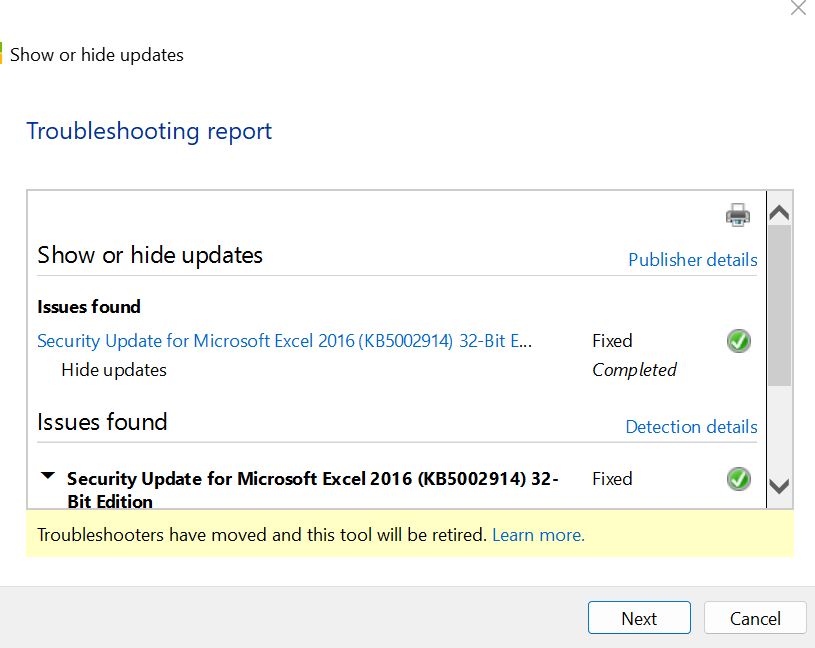
How to prevent/block KB5002914 from reinstalling so that the update will not come back:
- Uninstall the Excel 2016 update with the command lines or our script
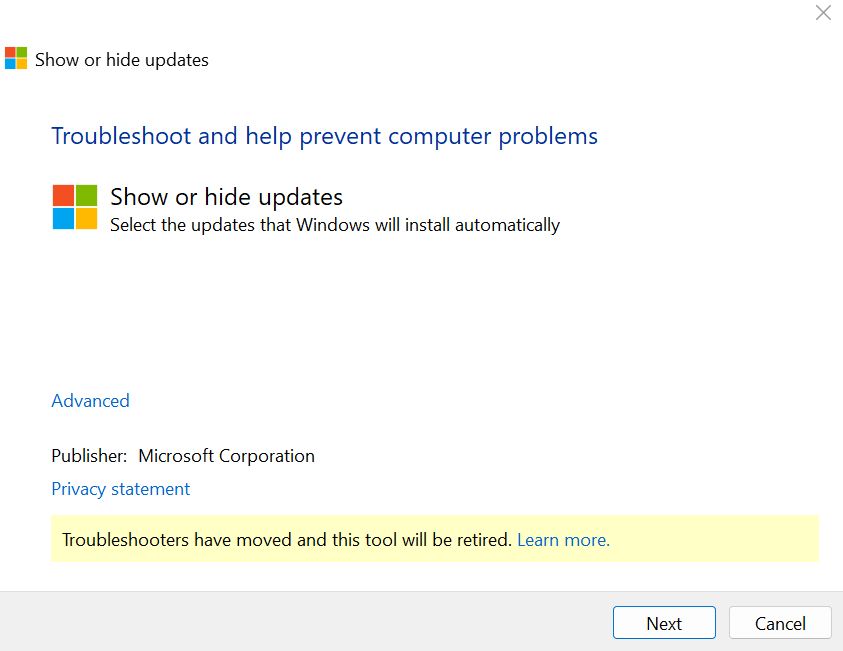
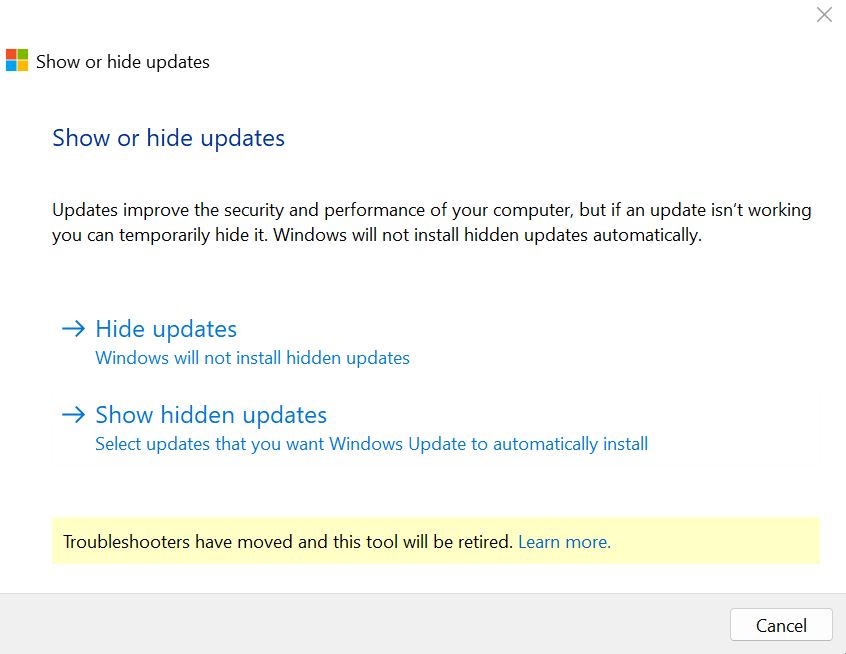
- Run MS tool “wushowhide.cab” from the URL, open, choose “keep” in security warning
https://download.microsoft.com/download/f/2/2/f22d5fdb-59cd-4275-8c95-1be17bf70b21/wushowhide.diagcab
Official statement from MS:
Known issues in this update
- In Microsoft Excel 2024, 2021, 2019, and 2016, the paste operation might fail silently. Although users try to paste content, the source remains selected and the destination is unmodified. When this issue occurs, users receive no indication of the failure, such as a beep or error message. Microsoft is researching the issue and will post more information in this article when the information becomes available.
https://support.microsoft.com/en-us/servicing/office/hotfix/excel/5002914
2016 is out of support so lets see if they provide a patch or V2 update for those.
15.09.2026 Last Statement in M365 tenant:
Users may be unable to copy, paste, drag, or duplicate cells and worksheets in Microsoft Excel
ID: OP1470668
Issue type: Advisory
Status
Service Degradation
Impacted services
Microsoft 365 apps
Details
Title: Some users can’t copy, paste, drag, or duplicate cells and worksheets in Microsoft Excel
User impact: Users can’t copy, paste, drag, or duplicate cells and worksheets in Microsoft Excel.
More info: This issue may specifically impact some users utilizing Microsoft Excel 2024, 2021, 2019, and 2016.
Current status: We’ve identified a code regression contained within a recent service update that’s causing impact. We’re developing separate fixes for each of the four impacted Microsoft Excel versions, and we’ll aim to provide a remediation timeline by our next scheduled communications update.
Scope of impact: Some users attempting to copy, paste, drag, or duplicate cells and worksheets in Microsoft Excel may be impacted. This section may be updated as our investigation continues.
Start time: Tuesday, September 8, 2026, at 10:00 AM UTC
Root cause: A code regression contained within a recent service update is causing impact.
Next update by: Monday, September 14, 2026, at 6:30 PM UTC
cut&paste | cutandpaste | Office Excel not working