
 Click on the Category button to get more articles regarding that product.
Error:
Error message when you try to perform a remote wipe operation for a device in Exchange Server 2010: “The ActiveSyncDevice identity cannot be found”
This is generated do a bug as we see it. The user with an ACTIVE Activesync Partnership HAS been moved to another OU in Active Directory.
This seems logical since a user who leaves the company at once should or may have his mobile remote wiped for legal reasons. However ONCE you have that case once a year this is not working.
KB MS:
https://support.microsoft.com/en-us/kb/2721428
To work around this issue, use one of the following methods, as appropriate for your situation.
Method 1: Move the user to the OU where the device was first synchronized
To work around this issue, follow these steps:
- Temporarily move the user back to the OU where the device was first synchronized.
- Wipe the device.
- Move the user to the OU that you want.
Method 2: Rename the user account in AD DS
To work around this issue, follow these steps:
- Temporarily rename the account to the original name.
- Wipe the device.
- Rename the account again.
Method 3: Use the Clear-ActiveSyncDevice cmdlet
To work around this issue, run the Clear-ActiveSyncDevice cmdlet, and use the device distinguished name.
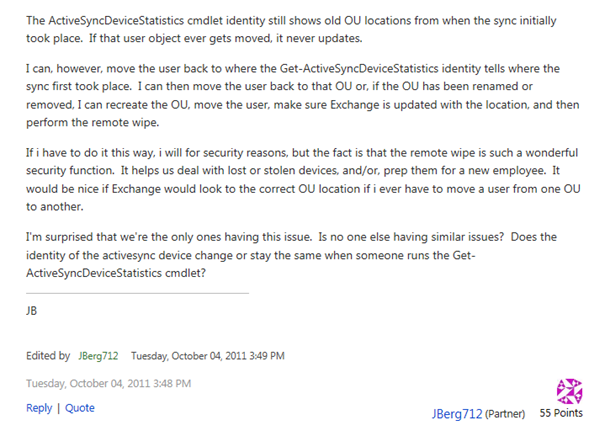
Paul from ExchangeServerpro.com has a Script which can check if this happens on accounts:
http://exchangeserverpro.com/exchange-2010-error-activesyncdevice-cannot-be-found-remote-wipe/
| List devices who have the error |
| $easdevices = @(Get-ActiveSyncDevice)
foreach ($easdevice in $easdevices) { $easdevstats = Get-ActiveSyncDeviceStatistics $easdevice Write-Host $easdevice.UserDisplayName -NoNewLine if ($($easdevice.Identity.ToString()) -eq $($easdevstats.Identity.ToString())) { Write-Host -ForegroundColor Green ” – IDs match” } else { Write-Host -ForegroundColor Red ” – IDs don’t match” Write-Host -ForegroundColor Yellow $easdevice.Identity Write-Host -ForegroundColor Yellow $easdevstats.Identity } } |